Searching...
How to retrieve NMEA Logs
The NMEA Logs operation allows you to download a compressed NMEA log file from the router for location-related troubleshooting.
As part of the troubleshooting process, you may be asked to download NMEA sentences before sending them to Semtech or your distributor. If asked to do so, first enable NMEA logging on the router under Services > Location > General.
Note: This action is available only for AirLink routers running AirLink OS 6.0.0 or later.
To retrieve NMEA Logs for a system:
- Go to Monitor > Systems.
- On the list of systems, select the desired system by clicking its row.
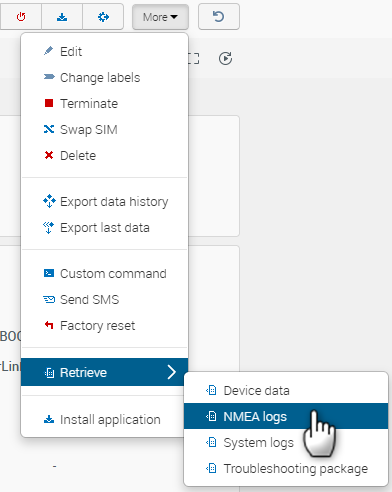
- Click More > Retrieve > NMEA Logs.
A Retrieve NMEA logs dialog box opens.
- If desired, click Advanced settings, configure Scheduling and Timeout, and select the operation notification check box.
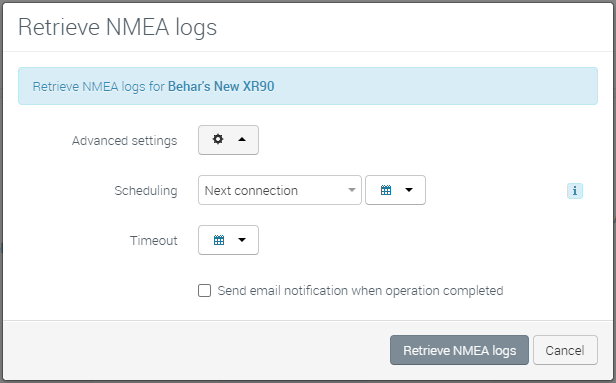
- Click Retrieve NMEA logs.
AirVantage creates a Retrieve NMEA logs operation.
To download the package:
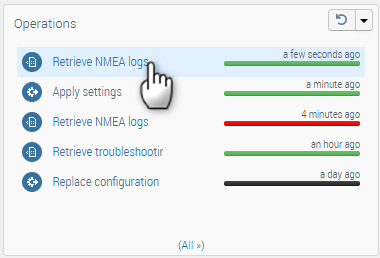
On the system details screen, in the Operations widget, click Retrieve NMEA logs after the operation has completed.
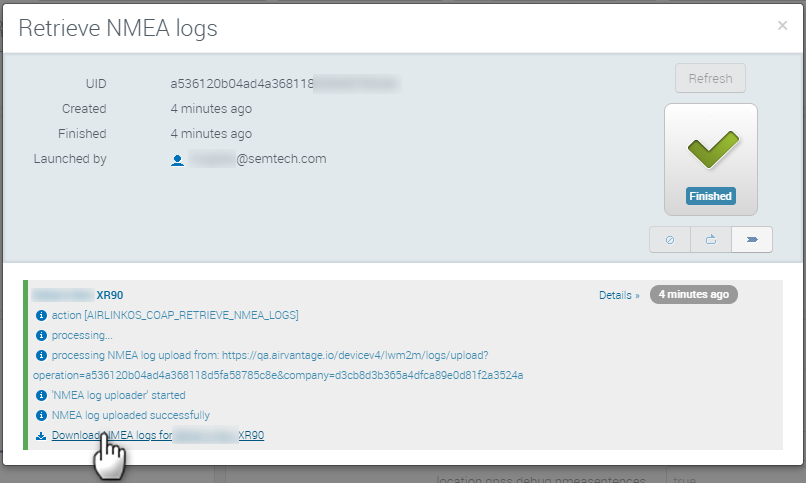
On the Retrieve NMEA logs dialog, click Details.
Click the download link to download the package to the local PC. This package can then be sent to Semtech support.